
By Massive IT · June 1, 2026
Download Case Study PDF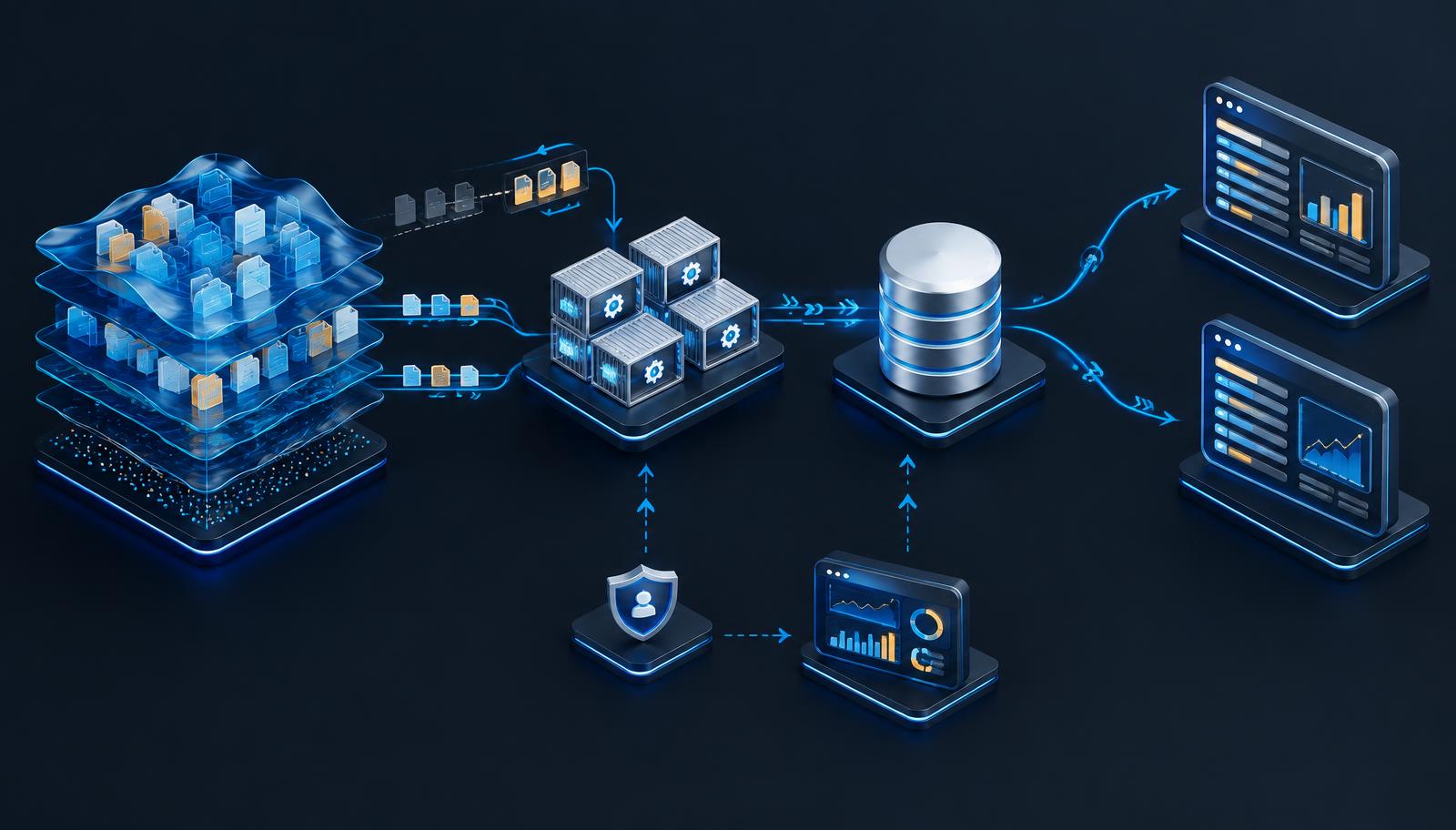
Project snapshot
| Detail | Summary |
|---|---|
| Customer | A warranty services organization (customer anonymized) |
| Business need | Reconstruct current warranty data from a change feed for downstream business workflows |
| Platform | Azure Data Lake Storage, Container Apps Jobs, Azure SQL, Logic Apps, and Dynamics 365 Business Central |
| Authentication | Managed identity for data lake, container registry, and SQL access |
| Processing model | Daily incremental updates with a weekly full reconstruction |
| Case study date | June 2026 |
Customer and vendor identities, subscription details, resource names, private paths, contact information, and deployment commands have been omitted. The source documents the rebuilt platform and validation; production consumer cutover and retirement of the previous stack remained subject to explicit approval.
Executive summary
A warranty services organization needed a more structured way to reconstruct operational data from an append-only change-data-capture feed. The data supported downstream invoice and claim-payment workflows in Microsoft Dynamics 365 Business Central.
Massive IT rebuilt an earlier ad hoc deployment into a governed Azure platform. A containerized restoration engine reconstructed current-state tables in Azure SQL, using managed identity for keyless access to its core Azure dependencies. Daily incremental processing reduced the amount of data revisited on routine runs, while a weekly full reconstruction provided a reconciliation path.
The engagement also brought resource organization, operational logging, failure alerts, and controlled cutover planning into the design.
The challenge: a change log is not a current-state database
The source data arrived as partitioned Parquet files representing changes rather than a ready-to-query snapshot. Producing current state required selecting the latest version of each record, recognizing deletion events, and handling file schemas that changed over time.
- Schema drift: New columns and changed data types appeared across source files.
- Updates and deletions: An append-only feed required reconstruction of each record’s current status.
- Late arrivals: Recent partitions needed reprocessing to absorb delayed data.
- Operational ownership: Scheduled jobs required visible progress, failure reporting, and repeatable recovery procedures.
- Business continuity: The previous stack needed to remain intact until a separately approved transition.
The solution architecture
| Stage | Technology | Role |
|---|---|---|
| Read | Azure Data Lake Storage Gen2 | Provide the partitioned CDC feed |
| Process | Azure Container Apps Jobs | Run the full and incremental restoration engine |
| Store | Azure SQL | Hold reconstructed current-state tables with Entra authentication |
| Integrate | Azure Logic Apps | Read restored data and feed Business Central workflows |
| Observe | Log Analytics and Application Insights | Collect diagnostics and support failure alerts |
Two processing modes, one restoration engine
Full reconstruction
The full mode read the complete available feed, unified schemas by column name, selected the latest row for each key, excluded deleted records, and rebuilt the target tables. It supported initial loading and periodic reconciliation against the source history.
Incremental updates
The delta mode tracked a watermark for each table and processed newer date partitions. Within the affected keys, it applied updates and deletions before inserting the surviving current records. A two-day overlap reprocessed recent partitions to account for late-arriving data.
The documented engine supported repeatable delta application, automatic initialization on an empty database, new-column handling, and text-column widening where required. A key index supported targeted record replacement.
The weekly full reconstruction provided a way to reconcile residual drift with the available source feed. It was not a substitute for source-data quality checks or proof that every possible correctness issue was eliminated.
Keyless access and governed resources
A user-assigned managed identity authenticated the restoration engine to the data lake, container registry, and SQL database. SQL connections used Microsoft Entra tokens rather than configured SQL passwords. The documented Logic Apps also used managed identity for SQL access and reused an existing authorized Business Central connection.
Resources were organized in a single tagged resource group with consistent naming and centralized diagnostics. Database network exposure was governed by firewall rules; the documentation does not establish a private-endpoint-only architecture, so none is claimed here.
The restoration identity required database permissions to create and refresh tables. This case study describes keyless authentication without claiming that broad database privileges represent a universally least-privilege design.
Validation before transition
The source reports comparison of incremental processing against a full reconstruction for a representative set of tables, including a large table with genuine deletion events. In those comparisons, applying a delta to an older state reproduced the full-rebuild result with no missing rows, extra rows, or value mismatches.
The documentation also reports routine delta runs completing in minutes, compared with approximately 66 minutes for a full reconstruction. These are project-specific observations, not a benchmark for other workloads or a guarantee of future runtime.
| Validation area | Documented result or design |
|---|---|
| Current-state comparison | No row or value mismatches in the representative comparisons reported |
| Deletions | Deletion events included in the validation dataset |
| Routine processing | Incremental runs processed recent changes rather than the entire feed |
| Late data | Recent partitions reprocessed through an overlap window |
| Reconciliation | Weekly full reconstruction available to reestablish source-derived state |
Monitoring and operational readiness
Platform diagnostics and job output flowed to centralized logging. Restore runs emitted per-table processing counts and a final success or failure summary. A scheduled-query alert notified the support team when the documented failure conditions appeared.
The operating guidance defined on-demand runs, checks of table counts and watermarks, and a full reconstruction path for unexpected incremental results. This gave administrators a more explicit operating model than an unattended job with no visible status.
Business workflow integration
Two Logic Apps were documented to consume restored data for invoice-related activity and claim-payment history in Business Central. These connected the data restoration design to the organization’s operational needs while keeping the data engine separate from downstream workflow logic.
Delivery status and boundaries
The rebuilt platform and validation were documented, but the previous ad hoc stack remained running and untouched. Repointing production consumers and schedules, followed by decommissioning old resources, were deliberate steps reserved for explicit approval.
This case study therefore does not claim completed production cutover, retired legacy infrastructure, realized cost savings, or independently measured business outcomes. Restoring current-state data from a CDC feed also differs from a complete disaster-recovery or historical-backup strategy.
Why this project matters
Reliable business automation depends on trustworthy current-state data and a supportable operating model. This engagement brought together schema-aware reconstruction, incremental processing, keyless authentication, validation, monitoring, and controlled transition planning rather than treating the pipeline as a single script.
The documented platform created a foundation for more repeatable processing and clearer operational ownership while preserving the approval boundary around production change.
Plan your Azure data modernization
Massive IT helps organizations assess Azure data workflows, identity controls, and operational readiness. Schedule a consultation or call (813) 518-5454.