
By Massive IT · August 1, 2025
Download Case Study PDF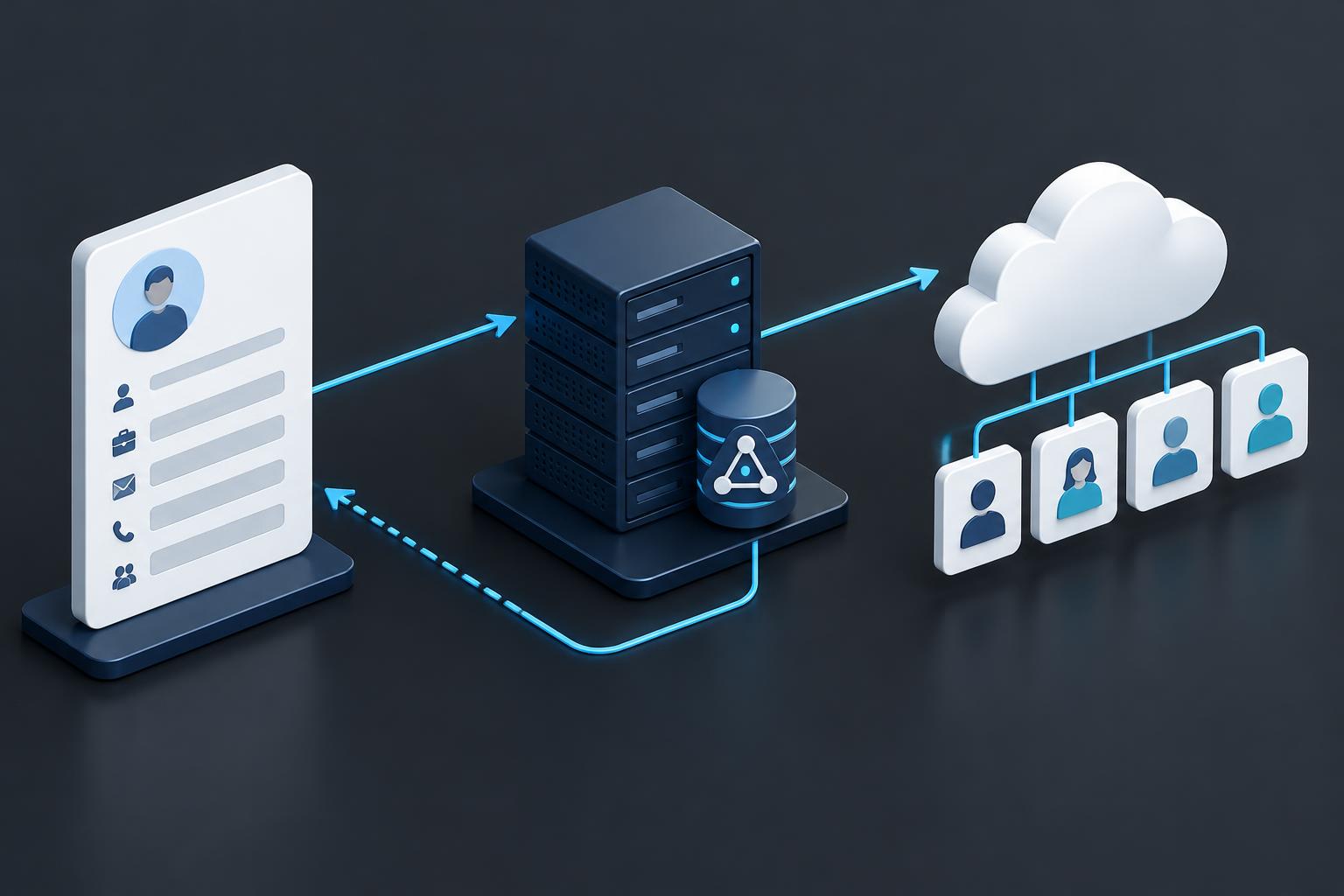
Project snapshot
| Detail | Documented scope |
|---|---|
| Customer | An organization operating Workday and hybrid Microsoft identity; customer anonymized |
| Project date | August 2025 |
| Source system | Workday worker records |
| Proposed identity flow | Workday to on-premises Active Directory, then synchronization to Microsoft Entra ID |
| Planned return flow | Workday contact writeback for UPN, email, and phone fields |
| Status represented | Proposed design, pilot, acceptance criteria, and handoff; delivery is not verified |
This project case study is based on the supplied project overview proposal. It describes intended scope and acceptance criteria, not confirmed implementation or achieved outcomes. Customer identities and internal planning estimates have been omitted.
Executive summary
The proposal defined an HR-driven identity integration connecting Workday worker records to on-premises Active Directory and Microsoft Entra ID. It covered the identity lifecycle from new hires through transfers, terminations, and rehires, with naming rules, population scoping, and controlled contact writeback.
Massive IT’s proposed approach combined architecture workshops, provisioning-agent deployment, Workday configuration support, mapping and filter design, pilot validation, and an operational runbook. The objective was a defined, testable provisioning process—not unrestricted automation across every business application.
The design challenge
HR records and directory accounts represent different views of the same person. A safe integration must define which records are in scope, where accounts belong, how identifiers remain unique, when lifecycle changes take effect, and which information may return to HR.
- Identity naming: Establish sAMAccountName and UPN rules, collision handling, and non-Latin name behavior.
- Population boundaries: Apply Workday filters and AD organizational-unit design so only intended workers enter the identity flow.
- Timing: Agree hire-date behavior, termination timing, and immediate versus delayed contact writeback.
- Hybrid consistency: Define supported attribute flows and synchronization scope between AD and Entra ID.
- Operational ownership: Provide a method to test individual workers, investigate errors, and recover from failed provisioning.
The proposed architecture
| Layer | Proposed responsibility |
|---|---|
| Workday | Provide approved worker attributes through a scoped integration identity and supported service endpoint |
| Microsoft Entra provisioning | Apply attribute mappings and population filters to drive AD account creation and lifecycle updates |
| On-premises provisioning agent | Connect the cloud provisioning service to the selected Active Directory environment |
| AD-to-Entra synchronization | Synchronize selected directory objects and attributes through supported Entra Connect Sync or Cloud Sync configuration |
| Workday Writeback | Return agreed UPN, email, and phone values using defined formats and timing |
Inbound provisioning, cloud synchronization, and Workday Writeback are distinct flows. Updating a worker’s title, manager, or location in AD does not imply every updated attribute is written back to Workday. The proposed writeback scope was specifically contact and identity fields.
Massive IT’s proposed delivery
1. Architecture and policy workshop
Document topology, agent placement and availability, mappings, naming policy, organizational units, in-scope populations, and writeback timing. Group membership design remained a choice to validate: Entra-based groups with supported group provisioning to AD, or AD-only logic. The proposal did not establish a final selected group model.
2. Agent and connectivity preparation
Deploy the Microsoft Entra Connect Provisioning Agent on suitable domain-joined Windows Server hosts. Review TLS, outbound access, certificate-revocation connectivity, required endpoints, and service-account configuration. Exact host, schema, and permission prerequisites would need validation against current supported requirements.
3. Workday integration configuration
Support creation of an Integration System User and security group with the required worker-read and writeback permissions. Confirm the Workday Web Services endpoint and version, business-process permissions, and test connectivity before enabling the account flow.
4. Mappings, scoping, and on-demand tests
Configure the Workday-to-AD provisioning application, AD connectivity, attribute mappings, and filters such as cost center, location, or provisioning groups. Use on-demand provisioning to inspect selected worker profiles and refine expressions before broader processing.
5. Contact writeback
Configure Workday Writeback for UPN, email, and phone fields. Agree immediate or hire-date-delayed behavior and validate formats and required Workday permissions. Contact writeback does not itself create a mailbox or assign Microsoft 365 licenses.
6. Pilot and handoff
Test new hire, transfer, termination, and rehire scenarios, including identifier collisions and non-Latin names. Adjust mappings until the agreed cases meet acceptance criteria, then deliver a runbook covering on-demand tests, logs, quarantine handling, rollback, and routine changes.
Planned acceptance criteria
| Scenario | Expected behavior to validate |
|---|---|
| New hire | An AD account in the correct OU with agreed attributes and unique identifiers; intended synchronization to Entra |
| Transfer | Agreed title, manager, and location updates flow to AD |
| Termination | The AD account is disabled according to agreed timing |
| Rehire and naming exceptions | Pilot cases validate the agreed rehire policy, collision rules, and name handling |
| Contact writeback | UPN, email, and phone fields return to Workday in agreed formats and timing |
| Operations | The runbook is delivered and agreed pilot cases pass without provisioning errors |
These were proposed acceptance criteria. The source does not show completed pilot runs or customer acceptance, so they are not presented as delivered results.
Prerequisites and scope boundaries
The proposal assumed a single Workday tenant and AD forest/domain, suitable Entra licensing for HR-driven provisioning, supported synchronization versions, scoped Workday permissions, administrative access, and connectivity. These assumptions would need confirmation during design.
Google Workspace/Gmail automation, Exchange Online enablement, mailbox creation, Microsoft 365 license assignment, device management, non-HR SaaS provisioning, downstream SSO, and broader identity-governance workflows were outside the proposed scope. Custom Workday workflows beyond required integration security and policies were also excluded.
Outstanding decisions and project status
Before implementation, the customer would need to confirm writeback timing, group membership strategy, suitable sandbox workers for lifecycle tests, proxy constraints, change-control windows, and logging preferences.
The supplied document establishes a proposed architecture and delivery plan. It does not verify deployed agents, live account provisioning, completed writeback, reduced onboarding time, or tested termination outcomes. The project takeaway is a disciplined design: use scoped HR data, explicit lifecycle rules, representative pilots, and operational handoff before relying on automation.